


Denny's
4.35.85K Reviews
App Specs
- Version
- 2.59.0
- Updated On
- License
- Free
- Downloads
- 1,000,000+
- Developer
- Denny's, Inc
- Categories
- Food & Drink
- Platform
- Android, iOS
Screenshots


 Analysis by AppCompare
I judge a restaurant app less by how polished its opening screen feels and more by whether I can make a clear choice when I am hungry, distracted, or ordering for someone else. That is the lens I bring to Denny's: it is a free Food & Drink app from Denny's, Inc, built around ordering from the diner rather than browsing restaurants in general. Its strongest appeal is straightforward: if Denny's is already where you want to eat, the app gives you a direct route from menu browsing to an order.
That focus also sets expectations. It is not a general delivery marketplace, so it makes more sense when you have decided on Denny's than when you are comparing several nearby restaurants. I would use it to plan a familiar meal, check what choices are available, and place an order without starting a search from scratch. If I am undecided about what kind of food I want, a broader restaurant app is likely a better first stop.
Reading the menu at your own pace
The menu is central to the experience, and the original review describes item photos and descriptions alongside customization. That can help when a dish is unfamiliar or when I want to compare options before committing. Images make a meal easier to picture, but they are not a substitute for carefully reading the description; I would check the written details before choosing, especially when ordering for a person with specific dietary needs.
Customization is useful for adjusting a meal to preference, but it should not be treated as a guarantee that every dietary restriction can be accommodated. I would use the available choices to make ordinary changes, then contact the restaurant directly if an allergy or other important requirement needs confirmation. That extra step is less convenient than a fully self-contained order, but it is a sensible trade-off when accuracy matters more than speed.
Navigation when attention is limited
A food order often happens in less-than-ideal conditions: I might be in a noisy room, checking the app between errands, or trying to finish a decision before other people lose patience. A menu organized into recognizable items and sections can reduce that mental load. In practice, I find it helpful to decide on the kind of meal first, then compare only a few relevant choices rather than scrolling aimlessly while hungry.
For a shared order, I would treat the cart as a final review stage rather than simply a checkout button. Check each item’s selected changes, quantities, and any add-ons before placing the order. This is especially useful when one person wants a familiar breakfast while another is choosing a burger or a different side. A small pause can prevent the common mistake of assuming everyone’s customizations carried over correctly.
Different bodies, different ordering needs
The interface may be manageable for many people who prefer to read and choose at their own pace, but a smooth general experience does not automatically make every step easy for every user. People with low vision may find food photography less helpful than clear text, while people who have difficulty with precise touch input may prefer to take their time and review each selection before moving on. I would avoid rushing through the order, particularly if the screen is being used in bright outdoor light or while moving.
Worth Reading Before You Choose

EA SPORTS FC Mobile 26 Is a Bigger Football Game, but It Takes Time

Flipboard Shows What News Apps Must Do Beyond the Feed

Switching to Android Auto Means Rethinking Your Driving Routine

Google Calendar Makes a Crowded Week Easier to Manage

Ludo King Makes the Most of the Minutes Between Plans

Baby Panda World Brings Quick Play to Modern Phones, but Its Game Library Feels Busy
There is also a useful distinction between changing a dish for taste and relying on the app to communicate a serious food requirement. Ingredient swaps and extras can make an order feel more personal, but if a diner needs certainty about allergens or preparation, direct confirmation is the safer approach. That means the app can support everyday flexibility without replacing a conversation when the stakes are higher.
Pickup, delivery, and the moment you need food
The published review describes both pickup and delivery as ordering choices. I see those as different workflows rather than interchangeable buttons. Pickup can suit someone already passing a restaurant or trying to coordinate a meal with a trip; delivery is more appealing when leaving home is the inconvenient part. Before starting, I would decide which outcome actually fits the day, since that makes it easier to judge whether the app is solving a real problem or merely adding another step.
Picture a family deciding on dinner after a long day. One person can browse while everyone calls out preferences, customize each item, and then check the cart together before submitting it. If timing is uncertain, pickup may offer a more controlled plan than waiting at home; if nobody can leave, delivery is the more practical choice. The useful tip is to settle the order before the group gets distracted, and to review the final selections rather than relying on memory.
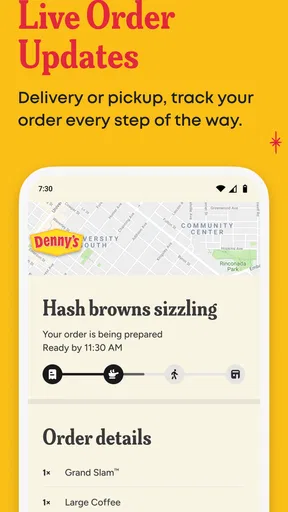
Notifications can help keep track of an order after submission, as the original review notes, but they are not a reason to stop checking the details before checkout. I would also make the order when I have enough time to complete it carefully, not while walking through a crowded place or driving. For accessibility and safety alike, a calm moment is often more valuable than shaving a few seconds off the process.
Where this app fits among food-ordering options
Compared with a broad delivery service, a restaurant-specific app has a narrower job: it is most useful when the diner itself is the destination. That focus can make a familiar order feel direct, while a marketplace is usually better for comparing different cuisines, restaurants, or delivery choices in one place. I would not install this expecting it to help me discover the whole local food scene; I would reach for it when I already know Denny's is the answer.
Likewise, calling or ordering in person can be preferable if I need to explain a complicated request, ask a question about ingredients, or get help from staff while deciding. The app is better suited to a straightforward order that I can review on screen. Its value depends on the situation: convenience is real when the choices are clear, but a human conversation remains useful when the order needs careful clarification.
Who will benefit, and who may want another route
I would recommend trying it to people who visit Denny's regularly, already know what they like, or want to place a pickup or delivery order without making the process a phone call. It may also suit someone coordinating a simple group meal, provided they take care to confirm each person’s selections. The app is free, rated for Everyone, and has a 4.4 average from around 42,000 ratings, which suggests many users find it worthwhile, though popularity cannot tell me whether it will fit an individual’s needs.
Someone who rarely eats at Denny's may have little reason to keep a dedicated restaurant app on their phone. A person who needs detailed allergy guidance, has trouble interacting with small on-screen controls, or wants to compare many restaurants may be better served by direct staff contact or a broader ordering option. Those are not reasons to dismiss the app; they are reasons to choose the tool that fits the meal and the person placing it.
A Cozy Diner in Your Pocket
The first thing I noticed about the app is its user-friendly interface. It greets you with a warm, inviting vibe, just like stepping into a real diner. Everything is laid out in a way that's super easy to navigate, which is great if you're like me and tend to get a bit hangry when ordering food.
Browsing the Menu
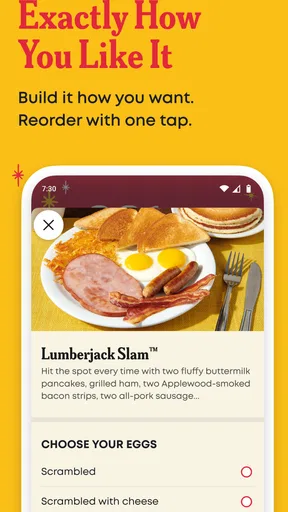
Scrolling through the menu, I felt like a kid in a candy store. From their famous Grand Slam breakfasts to savory burgers and juicy steaks, the app has it all. What's cool is that each menu item comes with a mouth-watering image and a detailed description. This makes it so much easier to decide what to order, especially when everything looks so good!
For those with dietary preferences or restrictions, the app offers customization options. You can easily swap ingredients or add extras to suit your taste. This level of personalization is something I really appreciate in a food app.
Ordering Made Simple
Ordering is a breeze. Just tap on what you want, customize it if needed, and add it to your cart. The app offers both delivery and pickup options, so whether you're chilling at home or on the go, Denny's has got you covered. I opted for delivery because, honestly, who doesn't love having pancakes delivered to their door?
Payment is seamless with multiple options available, including credit card and even Apple Pay. After placing my order, the app kept me updated with real-time notifications, so I knew exactly when my food was on its way. Talk about peace of mind!
Loyalty Rewards
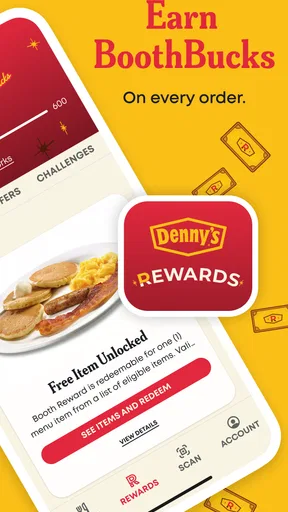
One of my favorite features is the rewards program. Every order earns you points that can be redeemed for free food. It’s like getting a little treat every time you indulge in your favorite diner meals. Plus, the app occasionally drops exclusive offers and discounts, which is always a nice surprise.
Customer Service
If you run into any issues, the app has a handy help section. I had a minor hiccup with an order once, and the support team was super responsive. They resolved my issue quickly, which made me feel valued as a customer.
Practical details before you install
The app has been available since January 8, 2014, and its current version is 7.0.2, with Android 10 as the minimum operating-system requirement. It has more than a million installs and around 5,700 written reviews. Those figures show that it is an established option, but the more important question for me is whether I order from Denny's often enough to benefit from keeping its ordering flow close at hand.
The rewards program is a reason to use the app consistently if you already place orders there; it is less persuasive if you only visit occasionally. I would check the rewards details in the app before building a meal around a particular offer, and treat points as a small extra rather than the main reason to order. That keeps the decision focused on whether the food and ordering method suit the occasion.
A practical question is whether the app is suitable for a quick order on the move. I would prepare the order while stopped somewhere comfortable, then use pickup or delivery according to the plan. Another is whether it replaces speaking with the restaurant: for an uncomplicated meal, the app can make ordering more convenient, but for a special request that needs explanation, direct contact is the clearer route.
For anyone deciding whether to install it, I would start with one familiar order and see whether the menu, customization, and checkout feel comfortable. That is a low-pressure way to learn the flow before relying on it for a larger family order. If the experience suits your routine, the points and occasional offers can make repeat use more appealing; if not, ordering another way remains perfectly reasonable.
Final Thoughts
Overall, the Denny's app is a delightful tool for anyone who loves the convenience of digital dining without sacrificing the charm of a classic diner experience. It's intuitive, efficient, and packed with features that make ordering food a joy rather than a chore. Whether you're a breakfast enthusiast or a late-night munchies seeker, this app has something to offer. So, next time you're in the mood for some comforting diner fare, give the app a try. You might just find yourself reaching for it more often than you expect!
My inclusive verdict
For me, the app’s clearest strength is that it brings menu browsing, order customization, payment, rewards, and order updates into a single Denny's-focused experience. The approach is most helpful when I know what I want and can comfortably read and review the choices. Its usefulness is less certain when a person needs extensive assistance, has a complex dietary question, or simply wants to compare restaurants before choosing dinner.
I would recommend it as a convenient option, not as the only way to order. Give yourself time to inspect the item details and cart, ask the restaurant directly when an important requirement needs confirmation, and choose pickup or delivery based on what is genuinely easier that day. For regular Denny's customers, that balance makes the app worth trying; for everyone else, it is a focused tool rather than a must-have.
Pros
- User-friendly interface for easy navigation.
- Extensive menu with diverse options.
- Order customization is straightforward.
- Frequent promotions and discounts.
- Quick order tracking and updates.
Cons
- Limited payment options available.
- App can lag during peak hours.
- Requires constant internet connection.
- No option for table reservations.
- Occasional mismatches in order details.
FAQs for Denny's
What features does the Denny's app offer?
The Denny's app provides a user-friendly interface to easily browse the full menu, customize orders, and find nutritional information. Users can place orders for pickup or delivery and earn rewards through the Denny's Rewards program. The app also allows for convenient payment options and stores your favorite orders for quick access.
How does the Denny's Rewards program work?
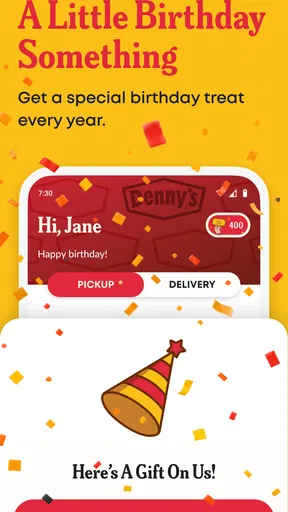
Denny's Rewards program offers users points for every purchase made through the app. Accumulated points can be redeemed for discounts or free menu items. The app also provides exclusive offers and birthday rewards. Users need to create an account and ensure they are logged in to earn and track their points.
Is the Denny's app available for both Android and iOS devices?
Yes, the Denny's app is available for download on both Android and iOS platforms. Users can find the app on the Google Play Store for Android devices and the Apple App Store for iOS devices. Ensure your device meets the compatibility requirements for seamless performance.
Can I customize my order through the Denny's app?
Absolutely! The Denny's app allows for full customization of your orders. You can add or remove ingredients, choose specific preparation methods, and make special requests. This feature ensures that your meal is tailored to your preferences before you complete your order for pickup or delivery.
Does the Denny's app support multiple payment methods?
Yes, the Denny's app supports various payment options, including credit/debit cards and mobile payment systems like Apple Pay and Google Pay. This flexibility makes it easy for users to complete transactions efficiently and securely, enhancing the overall convenience of the ordering process.


